
How do I become a member?
Prerequisite: The RRCAT Staff Club membership is limited only for the RRCAT Employees, AECS Indore Employees and Visiting DAE Employees.
Step 1: Visit the following link: https://www.rrcatstaffclub.in/forms/staff-club/membership-form
Step 2: Fill in all the required details and click on the "Submit" button.
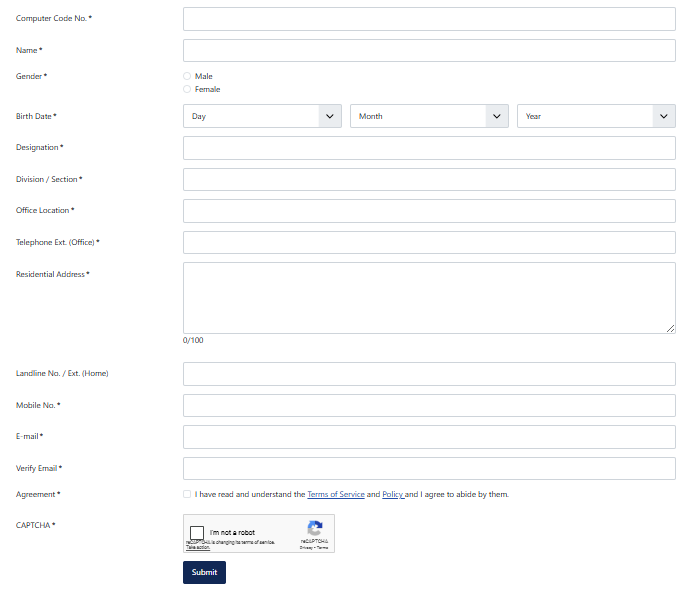
Step 3: The duly signed physical copy of the membership application form must be submitted to the Secretary, RRCAT Staff Club for approval.
Step 4: Once the membership application is approved, create your account on RRCAT Staff Club website using Sign Up link.
Step 5: Confirm your email by clicking on the link received after signup on your registered email-ID.
Step 6: It may take up to 72 hours to approve the sign-up request after the membership application is approved. You may contact webmaster if your account is not activated within reasonable amount of time.
Membership Fees:
₹ 720 per year. (Yearly membership, can be paid monthly at ₹ 60 per month from salary deduction)
How do I apply for membership after retirement?
An altogether different “Associate Membership Form” is available on the Staff Club website for retired employees. The membership is valid for one year, with a one-time payment of ₹720 (renewable annually for continued access).
Prerequisite: “Latest CHSS photograph”
Step 1: Visit the following Link
https://www.rrcatstaffclub.in/forms/staff-club/associate-membership
Step 2: Please pay the applicable fees (720 INR as of now) via the official SBI Collect portal.
https://www.onlinesbi.sbi/sbicollect/icollecthome.htm?corpID=6799657)
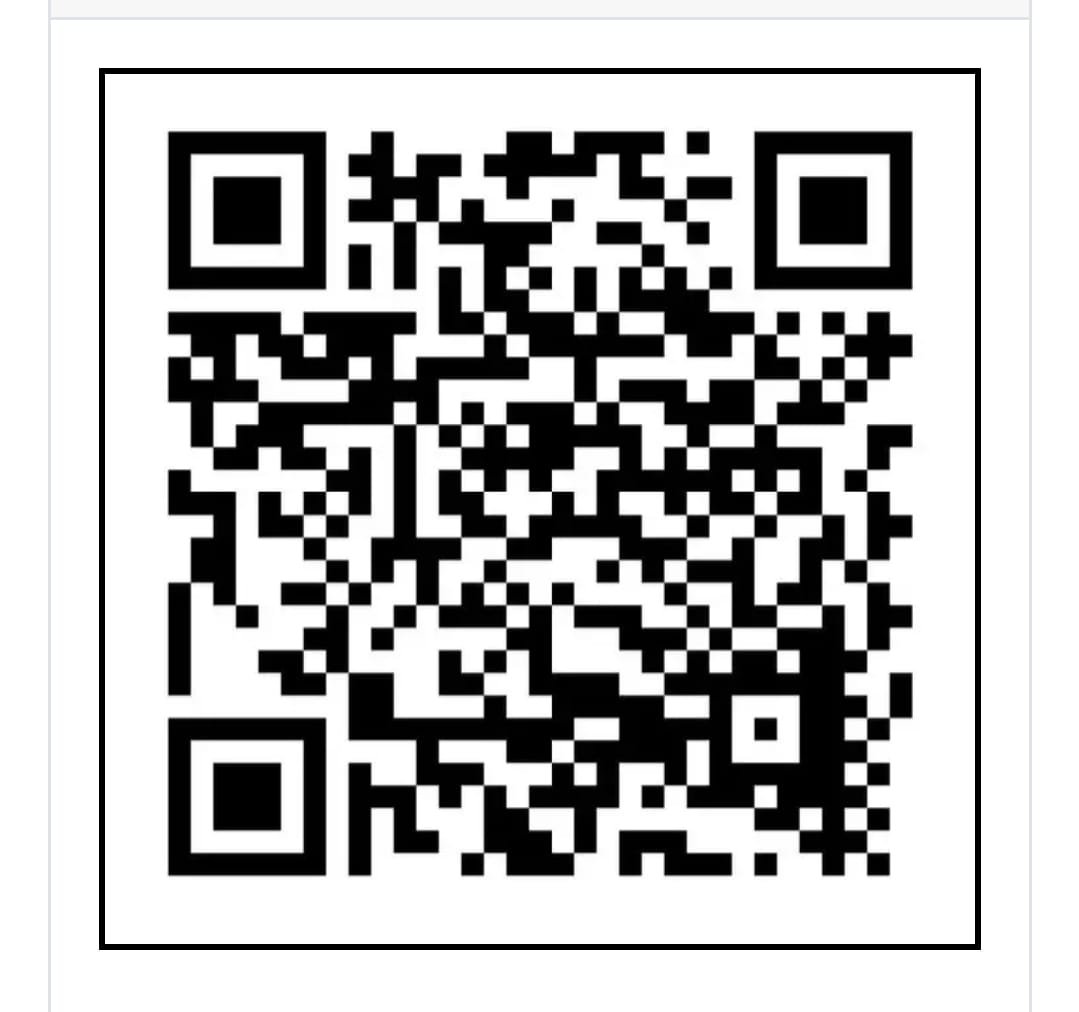
- Select ‘Activity Payment’ under Payment Category
- Choose ‘Other’ under Activity
- Enter your new CC No. in Application ID field
- Enter “Associate Membership Payment” in Remarks
- Save a screenshot of the payment confirmation (to upload in the next step)
Fill in all the required details on the form, upload the payment proof, and click “Submit”
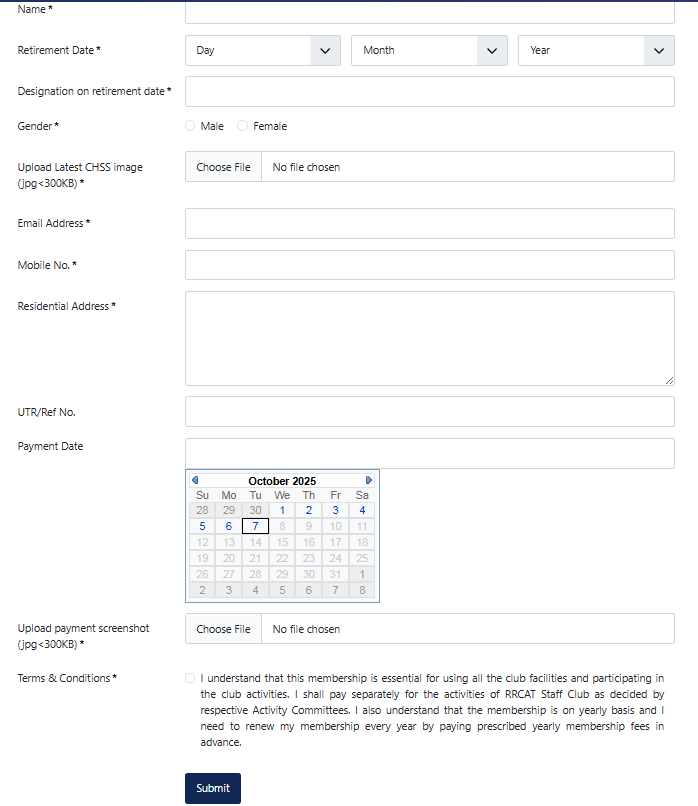
Step 3: The duly signed physical copy of the membership application form must be submitted to the RRCAT Staff Club Office, MPS Building, RRCAT for approval. Once the membership application is approved, you can Sign Up to create an account to use online services.
How do I give up the RRCAT Staff Club Membership?
To discontinue your membership, fill the Withdraw Membership Application form available online at RRCAT Staff Club Membership Withdrawal Form.
You will receive an email with pdf document. Submit duly signed physical copy to Secretary, RRCAT Staff Club, Indore. Your membership will be terminated after due approval and verification.
Payment to RRCAT Staff Club
How do I Pay for RRCAT Staff Club activities?
After successful submission of any application form, the applicable fees must be paid directly to RRCAT Staff Club SBI Collect account as per below QR code
https://www.onlinesbi.sbi/sbicollect/icollecthome.htm?corpID=6799657)
- Select ‘Activity Payment’ under Payment Category
- Choose appropriate Activity.
- Enter your details
- Save a screenshot of the payment confirmation
The payment screenshot with UTR/Ref no. must be sent to the activity Convener.
Kindly check Account details before payment. Fees once paid will not be refunded.
How do I pay for Associate Membership?
You have to pay directly to SBI Collect account as given above. For “Associate Membership Payment”, select "Other" under Activity and send the payment screenshot to RSC Supervisor.
Activities Participation
How do I participate in upcoming tournament?
Step 1: Log in to your RRCAT Staff Club account.
Step 2: Visit the home page and select required activity:
Step 3: Select the relevant tournament registration form.
Step 4: Fill in all the required details and click “Submit”.
Step 5: Pay the applicable fee using the SBI Collect portal.
Step 6: Share the payment screenshot with the Convener of the respective activity for confirmation.
How do I apply for coaching of my kids?
Step 1: Log in to your RRCAT Staff Club account.
Step 2: From the Home Page, select the desired activity under the “Ongoing Activities” section.
Step 3: Fill out the “Enrolment for Coaching” form for the selected activity and submit it.
Step 4: After successful form submission, pay the applicable coaching fee via SBI Collect